Website Security: 8 Essential Measures for Small Businesses
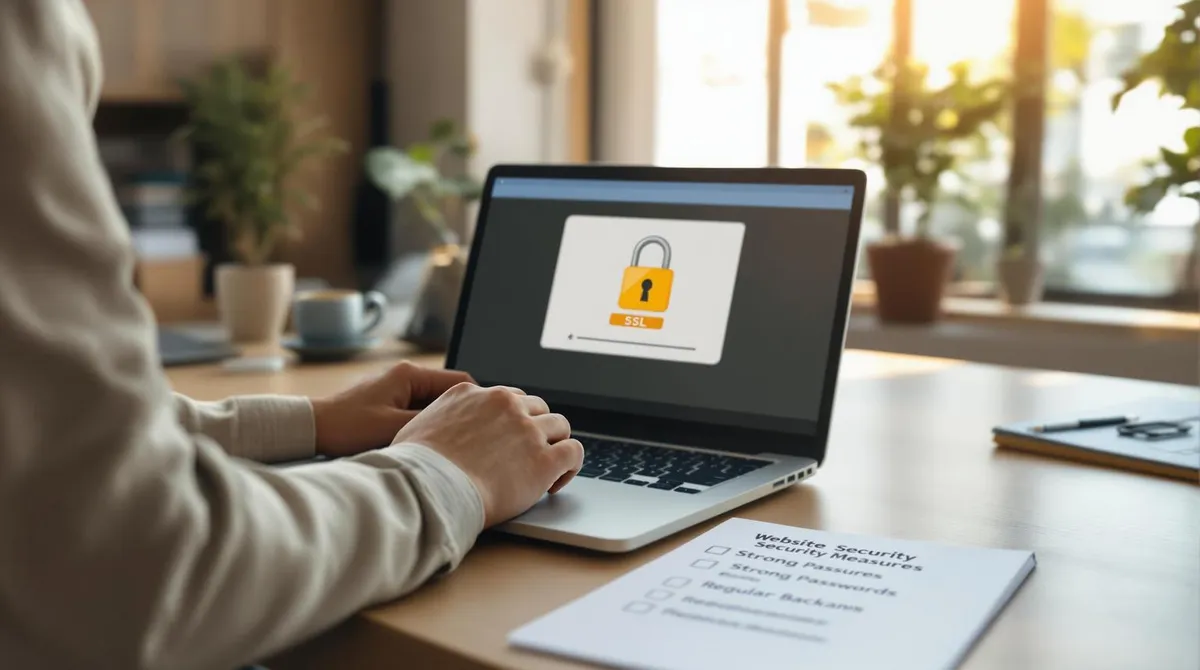
Did you know that 81% of hacking attacks are due to weak passwords? Or that 37% of all businesses have already fallen victim to ransomware? For small and medium-sized enterprises (SMEs), website security is more important today than ever.
Here are the 8 most important measures to protect your website:
- SSL certificates: Encrypt data and meet GDPR requirements.
- Strong passwords & 2FA: Reduce the risk of hacking attacks.
- Regular updates: Close security gaps with current software.
- Backups: Back up your data daily to avoid losses.
- Access controls: Manage user permissions purposefully.
- Security tools: Use malware scanners and firewalls.
- Privacy policies: Comply with GDPR and strengthen customer trust.
- Employee training: Sensitise your team to cyber threats.
Why This Matters:
- 30,000 websites are hacked daily.
- A data breach can cost up to 154 EUR per stolen record.
- 60% of SMEs close within 6 months after a cyberattack.
Act now: with these measures, you protect your website, your customers, and your business. Read on to learn how to implement each measure.
1. Use SSL Certificates to Protect Data
An SSL certificate is a fundamental security measure for every business website. It ensures that data transmission between your website and visitors is encrypted. This keeps sensitive information such as passwords or payment data protected from third-party access.
Why SSL is important for SMEs:
- It helps meet the requirements of Austrian data protection laws (GDPR).
- It builds customer trust through visible security measures.
- Google favours encrypted connections and rewards this with better rankings.
- It protects against data theft and cyberattacks.
- It strengthens competitiveness in the Austrian market.
SSL options for Wix websites:
| SSL Option | Advantages |
|---|---|
| Wix Premium SSL | Automatic setup and renewal, free in Business and E-Commerce plans |
| External SSL | More customisation options, but manual configuration required |
Nicolas Fabjan of Welle West Webdesign, a leading Wix agency in Austria, explains:
"An SSL certificate is indispensable for SMEs that process personal data — it is the first step towards a legally compliant website."
Tips for Wix users: Make sure your SSL certificate is valid and check that all pages are accessible via HTTPS. Enable automatic HTTPS redirection if needed. Wix makes this easy, as SSL is automatically activated in all Business packages without any additional settings required.
The cost of an SSL certificate is minimal compared to the potential consequences of a data protection violation. While SSL protects data transmission, you should also secure access to your website in the next step.
2. Create Strong Passwords and Enable Two-Factor Authentication
Weak or stolen passwords are the cause of 81% of hacking attacks — a solid password strategy is therefore essential for SMEs, especially when processing sensitive customer data.
A secure password should be at least 12 characters long and consist of a mix of uppercase and lowercase letters, numbers, and special characters. Each account needs an individual password that is changed regularly (every 60–90 days).
If you run a Wix website, it is worth using a password manager like LastPass or 1Password. These tools help create and store secure passwords and make management easier for teams.
Additional security through Two-Factor Authentication (2FA)
Two-factor authentication demonstrably blocks 99.9% of all automated attacks. With Wix, 2FA can be easily activated in the account settings under "Security & Login." You can connect it to an authenticator app to additionally secure your accounts.
Patrick Katholnig of Welle West Webdesign explains:
"Many of our clients initially underestimate the benefit of 2FA. But especially for Austrian SMEs, it is not just a protective measure but also essential for GDPR compliance."
Training employees — a decisive step
Training on secure password use, 2FA, and recognising phishing attacks is crucial for effectively implementing security measures. This not only protects your website but also strengthens your customers' trust.
The cost of secure passwords and 2FA is minimal compared to the potential damage of a data breach. In addition to these measures, you should also regularly update software and tools to avoid security gaps.
3. Keep Software and Tools Up to Date
Outdated software is a common entry point for security problems. Studies show that 60% of data breaches were triggered by known but unpatched vulnerabilities.
For SMEs with limited IT resources, automated update management is particularly helpful.
Automatic Updates with Wix
Wix automatically handles important security updates. This means your website stays protected without you having to intervene manually.
Secure Management of Third-Party Apps
- Only install verified and tested apps.
- Regularly check whether updates are available.
- Remove apps you no longer use to avoid unnecessary risks.
Organising Updates Systematically
A clear plan for updates ensures nothing is overlooked. Here is an example of an update log:
| Component | Check Interval | Responsible |
|---|---|---|
| Wix platform | Automatic | System |
| Third-party apps | Weekly | Website admin |
Nicolas Fabjan of Welle West Webdesign emphasises:
"Regular updates are not only technically but also legally indispensable for SMEs."
How to Perform Updates Smoothly
Schedule major updates outside business hours to avoid disruptions. Back up your website before each update and test all functions afterwards to identify and fix any problems early.
In addition to regularly updating software, it is equally important to carefully control access to your website. This further minimises potential security risks.
4. Perform Regular Data Backups
Regularly backing up your website data is not only technically sensible but also legally required, especially for Austrian SMEs. Backups protect against data loss and help avoid financial and legal risks from cyberattacks — a topic of great importance for many businesses in Austria.
Automatic Backups with Wix
With Wix, you can rely on an automatic backup solution. The platform creates daily backups of your website. Here is an overview of how Wix protects your data:
| Backup component | Frequency | Retention period |
|---|---|---|
| Website content | Daily | 30 days |
| Database | Daily | 14 days |
| Media files | Weekly | 90 days |
Additional Backup Measures
In addition to automatic backups, it is advisable to use encrypted cloud services for external backups. Test your backups monthly to ensure they actually work in an emergency.
Legal Requirements
Nicolas Fabjan of Welle West Webdesign emphasises:
"Regular backups are not just a technical precaution but also an essential component of GDPR compliance for Austrian businesses."
Backup Policies
To best protect your data, backups should be encrypted, stored in different locations, and regularly checked for completeness.
In addition to a well-thought-out backup strategy, it is equally important to carefully manage access to your website to close potential security gaps.
5. Manage User Permissions and Access Controls
Regular backups are important, but they alone are not enough to secure your website. For Austrian SMEs, targeted control of user access plays a central role in website security.
Role-Based Access Control with Wix
Wix offers a clear system with predefined roles that have different permissions:
| Role | Permissions |
|---|---|
| CMS Editor | Edit and create content |
| Store Manager | Manage products and orders |
| Blog Editor | Manage blog posts |
| Billing Manager | Manage payments and subscriptions |
Important Security Measures
- Implement the principle of least privilege: Give employees only the permissions they need for their tasks.
- Restrict administrator access: Use separate accounts for administrative activities and reduce the number of administrators to an absolute minimum.
- Control external access: For external service providers, set up temporary and restricted access that is regularly reviewed.
Activity Monitoring
Use the Wix dashboard to monitor user activities. Enable notifications to be immediately informed of suspicious login attempts.
In addition to managing user permissions, you can also use security tools and plugins to better protect your website.
6. Implement Security Tools and Plugins
Austrian SMEs, who often work with limited resources, can reliably protect their website with security tools — without major additional costs.
Recommended Tools for Wix Websites
| Tool | Main functions | Ideal for |
|---|---|---|
| McAfee Secure | Malware detection, trust seal | E-commerce websites |
| Sucuri | Website scanner, firewall | Larger SME websites |
| SiteLock | Real-time monitoring, malware removal | Websites with sensitive data |
Using Security Tools Correctly
The selection of appropriate tools should be well considered. Make sure the tools are compatible with Wix. Integrate functions like malware scanning into your daily processes to detect potential threats early.
Keep Website Performance in Mind
Security tools must not unnecessarily impair your website's loading speed. Use Wix's performance monitoring functions to ensure your page stays fast.
Special Requirements for Online Shops
Online shops need PCI-DSS-compliant tools and secure payment gateways to protect customer data and comply with legal regulations.
Tip: Enable automatic updates for your security tools. This keeps your website constantly up to date and protected.
In addition to technical protection, it is important to comply with all relevant legal requirements to further strengthen your website's security.
7. Implement Privacy Policies Under Austrian Law
A well-thought-out data protection strategy not only protects your website but also strengthens customer trust. The legal foundations are the GDPR and the Austrian Data Protection Act (DSG), which are particularly relevant for SMEs.
Important Components of a Privacy Policy
| Area | Required Information |
|---|---|
| Data management | Type and purpose of data collection, storage duration, disclosure |
| Data subject rights | Information, deletion, objection, contact options |
| Responsibilities | Data protection officer, international data transfers |
Practical Implementation on Wix Websites
Your privacy policy should be easy to find. Ideal is placement as a separate page in the main navigation with an additional link in the footer area. Wix offers simple options and GDPR-compliant tools for this.
Regular Review and Adjustment
Update your privacy policy when your processes, tools, or legal requirements change. GDPR violations can be expensive — penalties of up to 20 million euros or 4% of global annual turnover are possible.
Employee Training
Well-trained employees are an important pillar in preventing data protection incidents and maintaining a high security level.
"Use Wix's integrated GDPR compliance tools. These significantly simplify the management of cookie settings and privacy consents."
In addition to complying with legal requirements, training your employees plays a central role in ensuring your website's security.
8. Train Employees in Website Security
For Austrian SMEs, it is crucial to train their own employees, as they often form the first line of defence against cyber threats. According to the BSI, many SMEs lack IT knowledge, making them particularly vulnerable to cyberattacks.
Important Content of a Training Programme
| Training area | Content | Frequency |
|---|---|---|
| Fundamentals | Phishing recognition, security awareness | Quarterly |
| Technical practice | Using Wix security tools, emergency protocols | Semi-annually |
| Responsiveness | Incident detection, response processes | Annually |
How to Design Effective Training
Training should be practice-oriented and focus on common threats. Interactive methods help better internalise what is learned. After all, 85% of data protection violations are due to human error.
Regular Refreshers
To keep security awareness permanently high, regular updates and short sessions are useful. Some proven approaches:
- Simulated phishing attacks and case studies
- Interactive workshops addressing current threats
"Most security incidents arise from a lack of employee awareness. A well-trained workforce is the best protection against cyberattacks." — Cybersecurity and Infrastructure Security Agency (CISA)
Review and Adjust Success
The success of training can be evaluated through regular tests and analysis of documented incidents. The following points should be recorded:
- Number of detected phishing attempts
- Reported security incidents
- Successfully prevented attacks
Statistics show that 60% of SMEs that fall victim to a cyberattack must close within six months. With well-trained employees, you can significantly reduce this risk and protect your website long-term.
Conclusion
The numbers speak a clear language: security measures are indispensable for Austrian SMEs. In 2021, 37% of all businesses were affected by ransomware, and the average cost per data breach was 154 EUR per stolen record.
Economic Impact
It is cheaper to invest in security than to bear the consequences of an attack:
| Cost type | Impact | Measures |
|---|---|---|
| Direct damage | Up to 427 EUR per minute of downtime | Regular backups & emergency plan |
| Customer loss | 65% of customers do not return | SSL certificates & encryption |
| Legal consequences | High fines for GDPR violations | Privacy policies & training |
Preventive Measures Pay Off
The eight security measures presented provide a solid foundation for protecting your website. The combination of technical tools and organisational approaches is important.
Next Steps
- Create a security audit and backup plan: Be prepared for emergencies.
- Activate SSL encryption and two-factor authentication: Protect sensitive data.
- Train employees: Sensitise your team to potential threats.
Every day, 30,000 websites are hacked. Act now to protect your website — and with it, your business and your customers. A proactive security strategy pays off.
FAQs
How can I make my Wix website more secure?
Enable HTTPS, use two-factor authentication, and regularly update your website software. These steps help protect your website and keep your customers' data safe.
Is it safe to build a website with Wix?
Yes, Wix offers automatic SSL encryption, round-the-clock monitoring, and GDPR-compliant features. This makes the platform particularly suitable for small and medium-sized businesses that value data protection and security.
How do I activate an SSL certificate in Wix?
SSL certificates are automatically activated with Wix. If this is not the case, you can activate the certificate in the domain settings. A small padlock icon in the browser bar indicates that the connection is secure.
These FAQs show how easy it is to implement basic security measures for your website to protect your data and that of your customers.